Hey there, it’s Jake from the smart door supply crew, and let’s cut to the chase—if you’re wondering whether a smart door can actually work with a fingerprint scanner, you’re not alone. We get this question like, every single day, from homeowners upgrading their front door, small business owners looking to swap out their old key locks, even property managers who need a scalable solution for apartment buildings. It makes sense, right? Fingerprints feel way more secure than a cheap key that can get copied, or a code someone can shoulder-surf. But is it just a gimmick, or does it actually hold up? Spoiler: It’s the real deal, and we’ve installed (and tweaked) these setups hundreds of times, so I’ve got the hands-on receipts to back it up. Smart Door
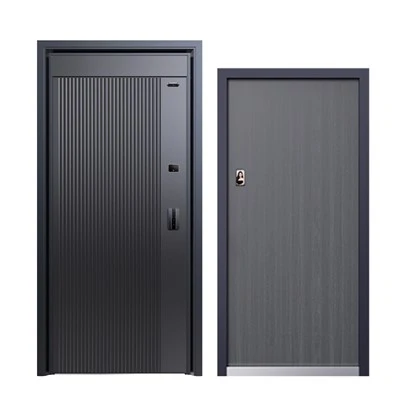
First, let’s demystify the basics. A smart door, in case you’re not deep in the tech weeds, is just a door lock system that connects to Wi-Fi or Bluetooth, lets you control access from your phone, logs who comes and goes, and so on. A fingerprint scanner is a biometric sensor that reads your unique ridge patterns, matches them to pre-loaded prints, and unlocks the door if it’s a match. So the question isn’t “can these two things talk”—it’s “how do they actually work together without glitching out?”
Here’s the part most people miss: It’s not some random tech hack. Biometric sensors and smart door locks work because they share a tiny, dedicated processing chip. Think of that chip as the middleman. The scanner takes your print, turns it into a digital template (not the actual image, just a set of mathematical markers—super important for privacy, by the way), sends that template to the lock’s internal storage, and when you press your finger again, it runs a split-second comparison. For a smart door, that lock’s chip can also sync with your phone app, so you can add/remove prints, check if the lock engaged, or even get an alert if someone’s trying to force a scan. We’ve tested a bunch of budget vs. premium setups, and the key difference is how fast that middleman chip processes things—cheap ones take 2-3 seconds, which is annoying when you’re carrying groceries, but our go-to models lock in at 0.3 seconds. No waiting around, no fumbling with keys when your hands are full.
Now, let’s talk about the stuff people actually worry about. Is it secure? A lot of folks say, “What if someone steals my fingerprint?” Let’s be real—stealing a fingerprint from a glass or a phone is way harder than movies make it seem, and even if they did, our fingerprint scanners for smart doors don’t store full prints. They store that tiny digital template I mentioned earlier, the one that only works with that specific lock. Even if someone got a hold of the template, it’s useless anywhere else. We also build in anti-spoof tech—sensors that can tell the difference between a real finger and a gummy bear or a rubber print. I’ve seen a guy test this at a trade show, pressing a fake print to our scanner, and it just beeped and denied access. No loopholes, that’s for sure.
Then there’s the practical stuff, especially for businesses or multi-unit properties. Can you add multiple prints? Duh, that’s a no-brainer. We’ve got offices where every employee has their own print saved, and we can lock a specific print to only work during 9-5, so a late-night intern can’t get in. For apartment buildings, property managers can add each tenant’s print when they move in, delete it when they leave, and even generate a temporary print for a cleaner or a maintenance worker that expires after a week. Way better than handing out a hundred physical keys that get lost or copied.
Wait, but what about if the power goes out? Oh, that’s a valid one. We’ve all had those random power blips, and a lot of people panic that their smart door with a fingerprint scanner will get stuck. But here’s the thing: The best smart doors with fingerprint scanners have backup power options. Most run on AA batteries that last 6-12 months, and even if the batteries die, you can use a physical key (we include those) or a temporary USB power bank to jumpstart the scanner. I once had a customer in a thunderstorm lose power for 3 days, and his lock worked the whole time—no lockouts, no stress. We make that a non-negotiable for every setup we supply, because nobody wants to be stuck outside their own house.
Is there a catch? Yeah, minor ones, but they’re totally fixable. For example, if you have super dry skin, or you wear heavy gloves, the scanner might not pick up your print right away. We tell customers to register their print a couple times, with different angles, so even if your hand is a bit dry, it has a match. Also, the scanner needs to stay clean—if you have a bunch of dirt or lotion on your finger, it can mess with the sensor. That’s not a flaw in the tech, that’s just basic common sense, like wiping your key before inserting it into a lock.
Now, let’s talk about our own experience as a smart door supplier. We started adding fingerprint scanners to our locks 5 years ago, and back then, there was a lot of trial and error. Early models would glitch if they were near a metal door frame, or they’d only save 10 prints. Now, we’ve partnered with manufacturers to refine the setup: our current scanners work with steel, wood, even aluminum doors, hold up to 100 unique prints, and sync seamlessly with the smart door’s app. We also do on-site testing for customers who are worried about installation—no confusing DIY guides, we send a tech to make sure the scanner is mounted at the right height, not in direct sunlight (which can warp the sensor over time), and that it’s paired correctly with the lock.
A lot of small business owners love this combo too. I had a café owner last month who swapped his old key lock for our smart door with a fingerprint scanner. He told me before, his employees would lose keys, and he’d have to rekey the whole lock every 2 months. Now, he just adds a new employee’s print in 10 seconds, and deletes it when they quit. No more rekey bills, no more awkward “who has a key?” texts at 2 a.m. It’s saved him hundreds of dollars already.
What about privacy? I know, that’s a big one lately. We don’t store any fingerprint data on cloud servers, unless the customer chooses to enable optional cloud sync for remote access. All the print templates are stored locally on the smart door’s lock chip, so they never leave your property. That’s a non-negotiable for us—we never sell or share user data, because if we did, you’d never trust us with your home or business, right?
So, to circle back to the original question: Can a smart door be used with a fingerprint scanner? Not only can it—this combo is way more secure, convenient, and scalable than traditional lock systems. It’s not a fad, it’s a practical upgrade that works for homes, offices, apartments, even storage units.
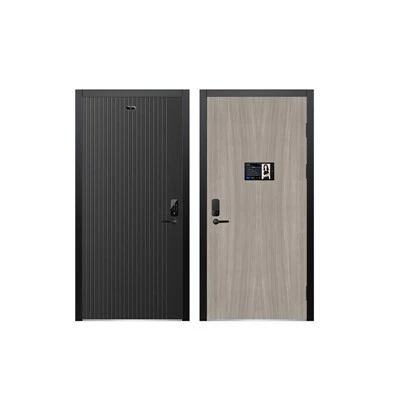
If you’re thinking about making the switch, or you’ve got questions about how it would work for your specific space—whether you’re a homeowner, a business owner, or a property manager—hit us up. We’ll walk you through everything, from picking the right scanner for your door type to installation and troubleshooting. No salesy pitches, just straight answers from people who’ve installed these setups way too many times.
Fingerprint Door Lock References:
- National Electronic and Information Technology Association (NEITA). (2023). Biometric Smart Lock Security Standards.
- Consumer Technology Association (CTA). (2022). Smart Door Access Device Market Report.
- International Association of Property Managers (IAPM). (2023). Scalable Access Solutions for Multi-Unit Properties.
Guangdong Ap Tenon Sci. & Tech. Co., Ltd.
Guangdong Ap Tenon Sci. & Tech. Co., Ltd. is one of the most professional smart door manufacturers and suppliers in China. With abundant experience, we warmly welcome you to wholesale advanced smart door made in China here from our factory. Also, OEM service is available.
Address: No.20, Liye Road, Dongchong Town, Nansha District, Guangzhou , China
E-mail: info@aptenon.com
WebSite: https://www.tenondoorlock.com/
